Thank you to Cricut for sponsoring this post. As always, I share my brutally honest opinions and only recommend products that I would recommend to my family and friends!
For those who have followed my creative journey for a while, you likely know my deep appreciation for the Cricut Explore Air 2 machine. I’ve previously shared extensive details about my preference for Cricut over Silhouette in a dedicated comparison post, outlining why it’s been my go-to for countless DIY projects. However, a new innovation has captured my crafting heart all over again. Cricut has truly outdone itself with the release of the Cricut Maker, a revolutionary cutting machine that is genuinely life-changing for anyone passionate about DIY home decor and crafting. As this exceptional machine is relatively new to the market, I wanted to provide a comprehensive and honest review, helping you determine if the Cricut Maker deserves a prime spot on your crafting wish list.
If you’re just discovering the Cricut Maker for the first time, a quick introductory video can offer a fantastic overview before we delve into the detailed insights below. This review aims to answer all your pressing questions, offering clarity on its capabilities and whether it’s the right tool for your creative ambitions.
This post contains some affiliate links for your convenience (which means if you make a purchase after clicking a link I will earn a small commission which helps keep my blog up and running but it won’t cost you a penny more)! Click here to read my full disclosure policy.
What is the Cricut Maker? The Ultimate Smart Cutting Machine Unveiled
To put it simply, the Cricut Maker is nothing short of magic. It’s crucial to understand that this isn’t merely an updated iteration of the Explore series; it’s an entirely new class of smart cutting machine, engineered from the ground up to revolutionize the way we approach crafting and DIY projects. The advancements in the Cricut Maker open up a world of possibilities that were previously unimaginable for home crafters.
One of its most groundbreaking features is its ability to cut a vast array of fabrics without the need for backing material! This alone is a game-changer for anyone who sews. Imagine cutting intricate sewing patterns in minutes, perfectly precise every time. No more painstakingly tracing patterns, pinning them to fabric, and then struggling with manual cuts. This incredible precision is all made possible by the introduction of a new, innovative tool: the Rotary Blade. The Rotary Blade brings unprecedented accuracy to fabric cutting within the digital crafting world. With its unique gliding, rolling action, it effortlessly cuts through virtually any fabric—from delicate cotton and felt to sturdy fleece and denim—quickly and with astonishing accuracy, all without any additional backing material. This means less prep time, less material waste, and vastly more enjoyable sewing and fabric craft projects.
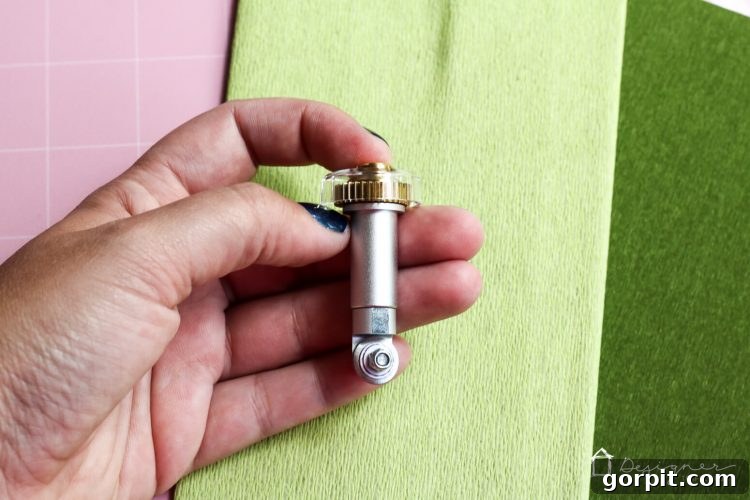
Beyond fabrics, the Cricut Maker’s Rotary Blade also excels at handling incredibly thin and delicate materials. Think about the challenges of cutting crepe paper by hand; the slightest tug can lead to tears. The Maker cuts such delicate materials with ease, producing clean, crisp edges without any damage. If you’re an avid paper flower maker, this capability alone makes the Cricut Maker an indispensable tool, saving you countless hours of meticulous manual cutting and ensuring professional-quality results every time.
But the innovation doesn’t stop there. Thanks to another remarkable new blade, the Knife Blade, the Cricut Maker can effortlessly cut materials up to 2.4 mm (3/32”) thick. This is an incredibly exciting development for crafters who desire to work with more robust materials. You can finally retire your X-ACTO® knife and let the Maker do the heavy lifting with unparalleled precision. The extra-deep Knife Blade powers through dense materials like Basswood, Balsa wood, mat board, and thick leather with ease. This opens up a whole new realm of DIY possibilities, from crafting custom wooden signs and intricate models to personalized leather goods and professional-grade photo mats. I’m particularly eager to test its capabilities with acrylic sheets, anticipating the endless creative projects that will emerge from this advanced feature.
But can’t the Cricut Explore Air 2 cut thick materials with a deep cut blade? Understanding the Key Difference
While the Cricut Explore Air 2 does indeed offer a Deep-Point Blade for cutting thicker materials, it’s crucial to understand that its functionality is fundamentally different and far less advanced than what the Cricut Maker achieves. The Deep-Point Blade used with the Cricut Explore (and indeed, many Silhouette machines) operates with a stationary blade tip. This means it relies on raw pressure and multiple passes to “drag” and cut through material, which can sometimes lead to less precise results, especially with intricate designs or very dense materials.
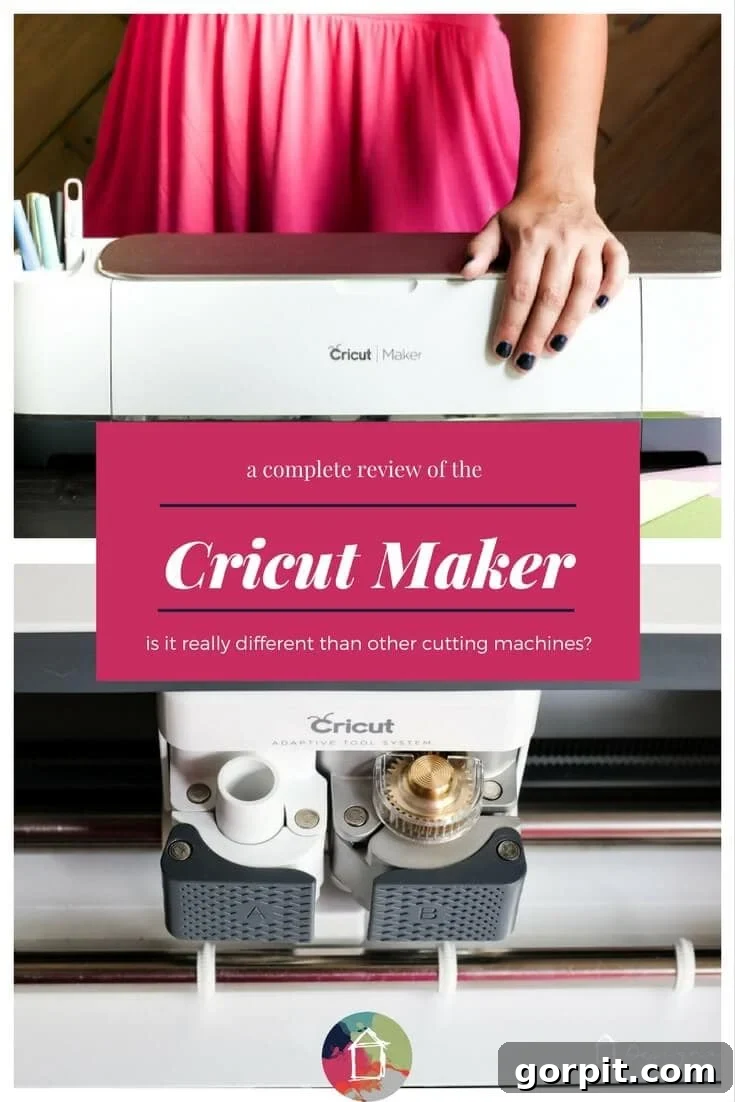
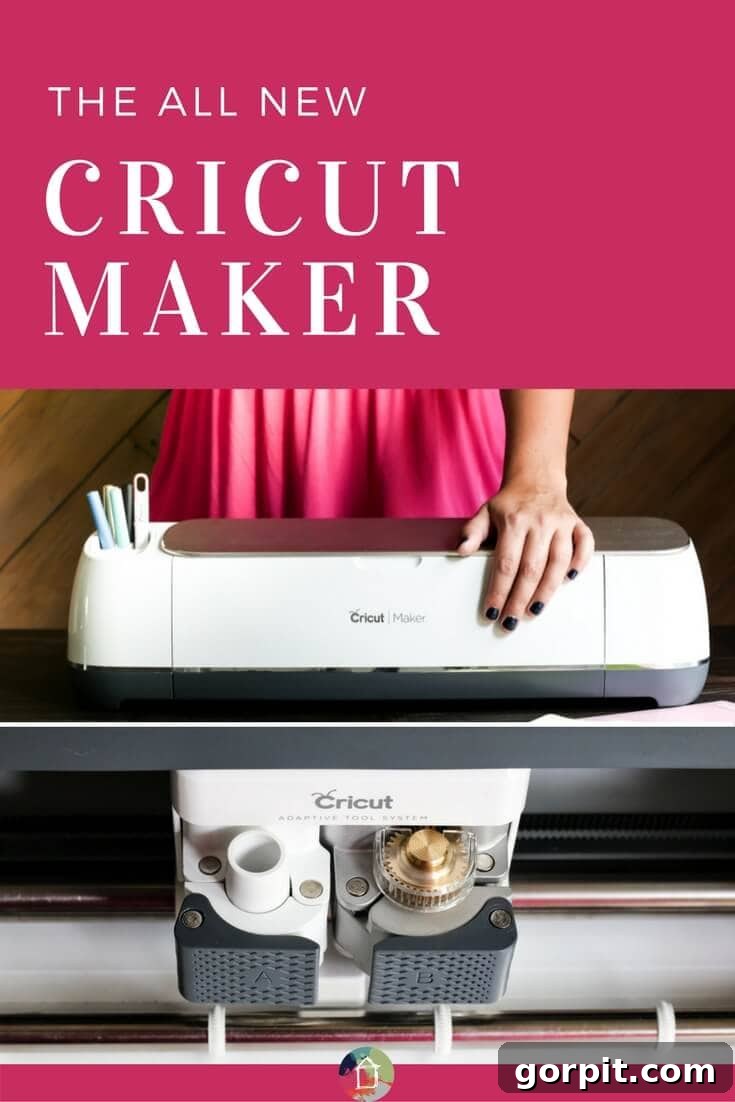
The Cricut Maker, on the other hand, introduces the revolutionary Adaptive Tool System. This intelligent system doesn’t just apply pressure; it actively controls both the direction of the blade and the cut pressure to perfectly match the specific material being used. This unparalleled precision is made possible by the innovative gears located at the top of both the Rotary Blade and the Knife Blade. When you select your material within the intuitive Cricut Design Space software, the Maker automatically computes and executes the optimal cutting strategy. It determines if multiple passes are required and precisely tweaks the pressure with each pass, ensuring a flawless, clean cut every single time. This dynamic adaptability is what truly sets the Cricut Maker apart, delivering professional-grade results that were previously unattainable for home crafters.
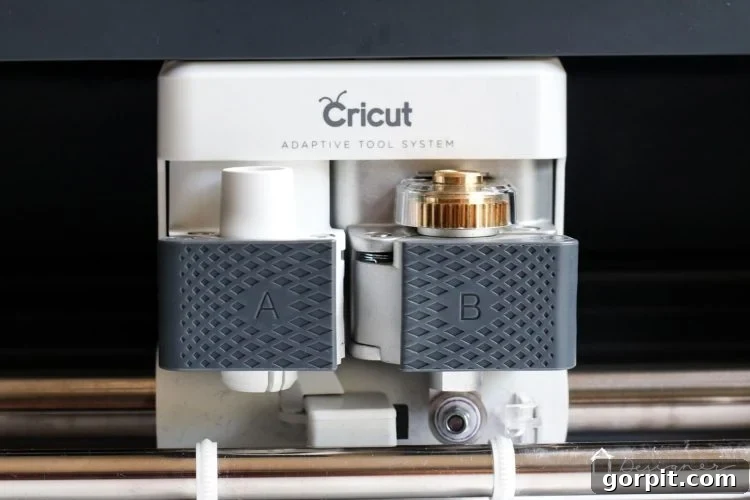
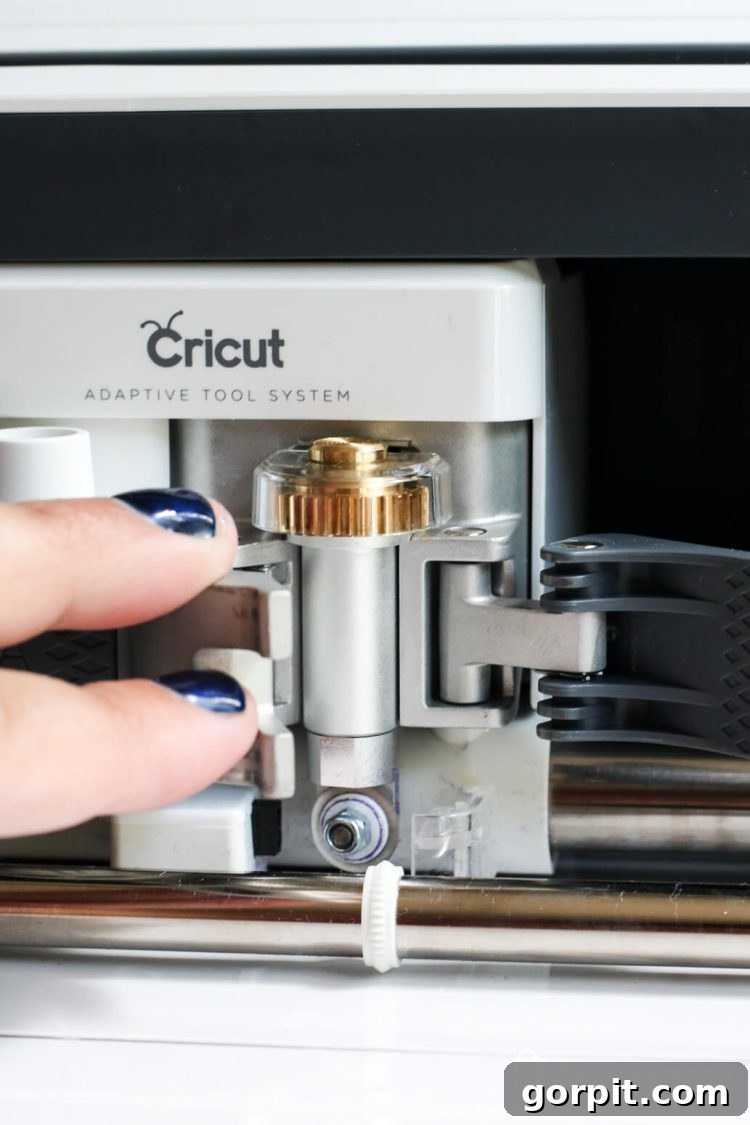
My Cricut Explore Air 2 can already cut fabric. So what’s the big deal? The Rotary Blade Advantage
You’re right, the Cricut Explore Air 2 can cut fabric, but here’s the monumental difference: with the Cricut Maker, you can cut fabric without needing any fusible webbing or backing material whatsoever! This is an absolutely enormous advancement for fabric crafters. Traditionally, using a standard blade to cut fabric would often result in bunching, fraying, and tearing, especially with delicate materials, unless you meticulously prepared the fabric with a stabilizer. This extra step was not only time-consuming but could also alter the feel and drape of the fabric.
The Cricut Maker’s Rotary Blade elegantly solves this problem. Unlike a traditional blade that drags across the material, the Rotary Blade features a tiny, spinning wheel that rolls smoothly over the surface of the fabric, cutting like butter. This rolling action prevents any pulling or distortion, ensuring flawlessly precise cuts every single time, even on the most intricate patterns. This means you can confidently cut a wide variety of fabrics, from light cottons to heavy wool felt, directly on your mat without any prior preparation. The time saved and the quality of the cuts achieved are truly unparalleled, transforming frustrating fabric projects into enjoyable, efficient crafting experiences.
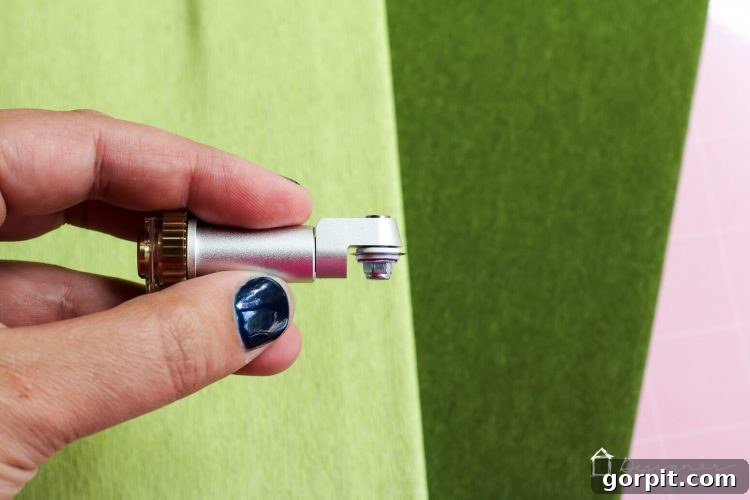
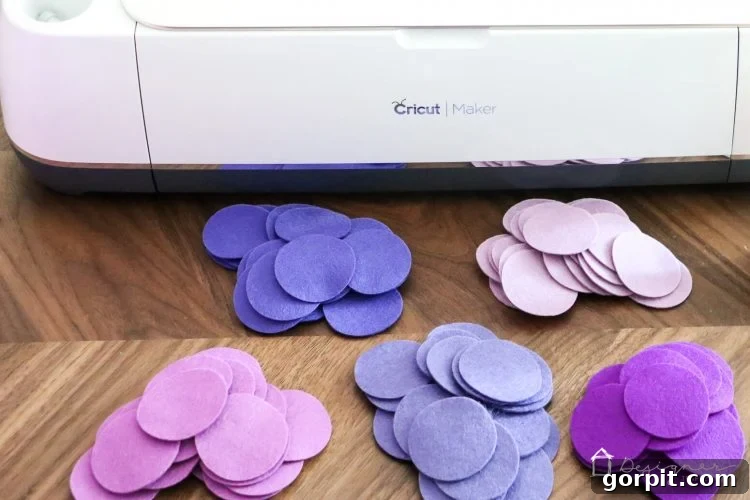
I’ve personally put the Cricut Maker through its paces, cutting materials ranging from delicate crepe paper to thin cottons, and even thick, luxurious wool felt. The results have been consistently mind-blowingly perfect every single time. The clean edges and precise shapes are truly impressive. You’ll soon see how I utilized all the impeccably cut wool felt circles from my Cricut Maker for an upcoming project, demonstrating the machine’s incredible versatility and accuracy in real-world applications.
Do I Need the Cricut Maker if I Already Have a Cricut Explore Air 2? A Comprehensive Guide
This is a question many crafters ponder, and the answer truly depends on your specific crafting habits and aspirations. If you already own a Cricut Explore Air 2, it’s a fantastic machine for many projects. However, the Cricut Maker introduces capabilities that fundamentally transform certain types of crafting.
You absolutely need the Cricut Maker if:
- You frequently work with fabric or aspire to: If sewing, quilting, or creating fabric-based crafts is a significant part of your hobby, or something you wish to explore more deeply, the Cricut Maker will save you countless hours of time and prevent immense frustration. Not only can you precisely cut your own custom designs—imagine perfectly sized quilting squares or intricate patterns in SVG format—but Cricut Design Space now features an extensive library of quilting, apparel, and accessory patterns from renowned brands like Riley Blake and Simplicity. The era of tedious pattern cutting and pinning is over! Even as someone who rarely sewed before, the efficiency and precision of the Cricut Maker has inspired me to take on many more fabric projects.
- You love making paper flowers or delicate paper crafts: For those captivated by the beauty of paper flowers, the Cricut Maker will swiftly become your new best friend. Its unparalleled ability to cut super delicate materials like tissue paper and crepe paper with pristine accuracy means you can create stunning floral arrangements in a fraction of the time. I distinctly recall the hours I spent meticulously cutting petals and leaves for my wedding decor 15 years ago; the thought of having the Cricut Maker then brings tears to my eyes! It has made complex paper flower creation infinitely easier and more enjoyable. Below, you can see some examples of crepe paper I’ve cut with my Cricut Maker, showcasing its incredible detail.
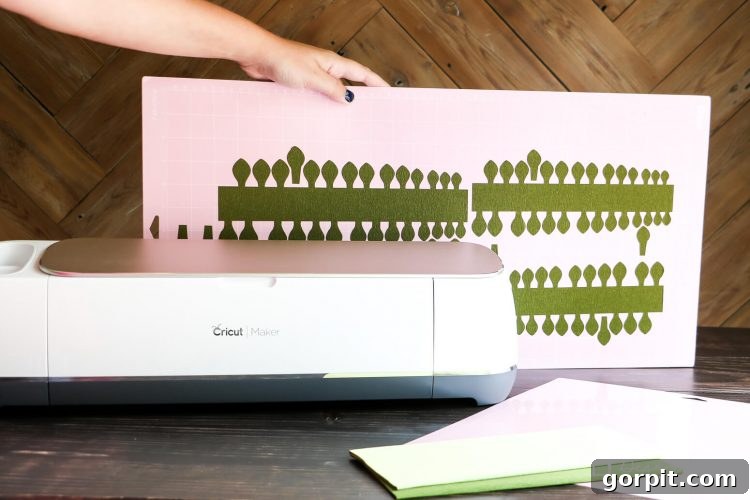
- You’re passionate about home decor projects requiring diverse materials: If your cutting machine is a cornerstone of your home decor endeavors, or if you dream of tackling more ambitious projects, the Cricut Maker offers capabilities that the Explore Air 2 simply cannot match. Imagine crafting entire wall installations with intricate wood patterns, customizing precise photo mats for your gallery wall, or cutting elaborate fabric patterns to adorn curtains, duvet covers, or even directly on walls. The possibilities are truly endless, allowing for a level of customization and professional finish that elevates any home decor project. The versatility to work with wood, leather, and other thicker materials expands your creative horizons exponentially.
However, you might be perfectly content with your Cricut Explore Air 2 if:
You primarily use your cutting machine for standard paper crafts and vinyl projects, and you have no particular desire to experiment with delicate papers (like tissue or crepe), explore fabric arts, or work with thicker, more robust materials such as wood, mat board, or heavy leather. In this scenario, your existing Cricut Explore Air 2 machine will continue to serve your needs excellently, providing reliable performance for your current crafting repertoire.
How Much Does the Cricut Maker Cost and When Can I Buy One? Pricing and Availability Details
The Cricut Maker became available on August 20, 2017, with an initial retail price of $399. For those eager to acquire this innovative machine, it was possible to join a waiting list at launch. The purchase price included the machine itself, the revolutionary Rotary Blade, and two cutting mats – a light grip mat for delicate materials and a specialized fabric mat designed for flawless textile cuts. The powerful Knife Blade, which further expands the Maker’s capabilities for thicker materials, was released for purchase in October 2017, and I can attest to the excitement this generated among crafters!
Undoubtedly, the Cricut Maker is positioned as the most premium of Cricut’s cutting machines, reflecting its advanced technology and expanded versatility. While the investment is higher, its ability to tackle an unparalleled range of materials and projects makes it the most versatile and comprehensive crafting tool in the Cricut lineup. Furthermore, Cricut has designed the Adaptive Tool System with the future in mind. The plan is for all future tools to be compatible with this system, meaning your Cricut Maker will remain a long-term, adaptable crafting companion, simply requiring the purchase of new blades and tools as they are innovated and released, rather than needing an entirely new machine. This forward-thinking design ensures your investment continues to pay dividends in creative possibilities.
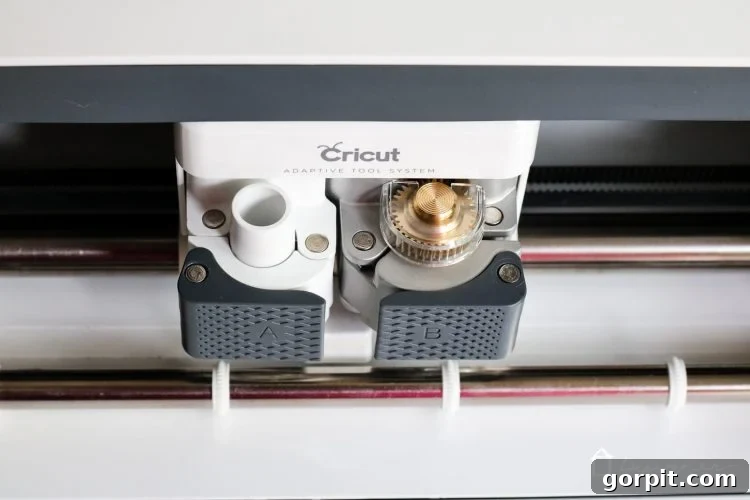
What’s the Cricut Maker Machine Itself Like? Design Features and User Experience
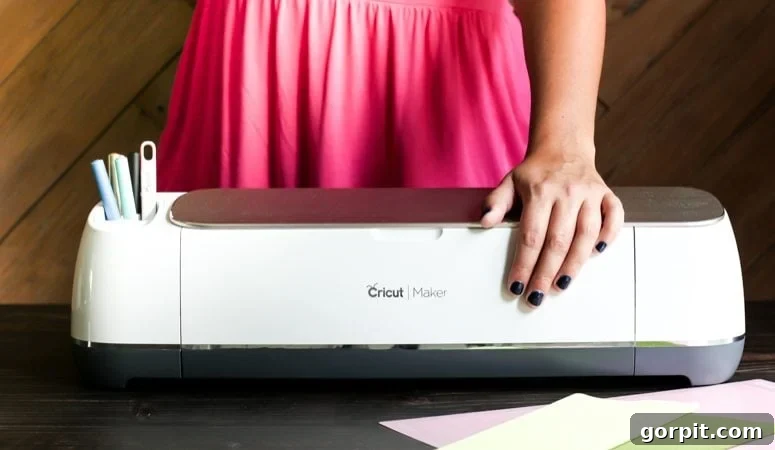
The moment you first interact with the Cricut Maker, one word immediately comes to mind: substantial. It possesses an undeniable sense of robustness and premium construction. The machine feels incredibly sturdy and exceptionally well-made, surpassing even the already impressive quality of the Explore Air 2. This solid build quality inspires confidence, assuring you that it’s a durable tool designed for intensive use and precision crafting.
Beyond its robust construction, the Cricut Maker introduces several thoughtful design enhancements aimed at improving the user experience. It now features a convenient built-in cradle designed to hold your phone or iPad securely while you work, keeping your design interface easily accessible. A notable addition is the integrated USB port, allowing you to charge your devices directly from the machine – a truly welcome convenience for long crafting sessions! (Wooo hooo!)
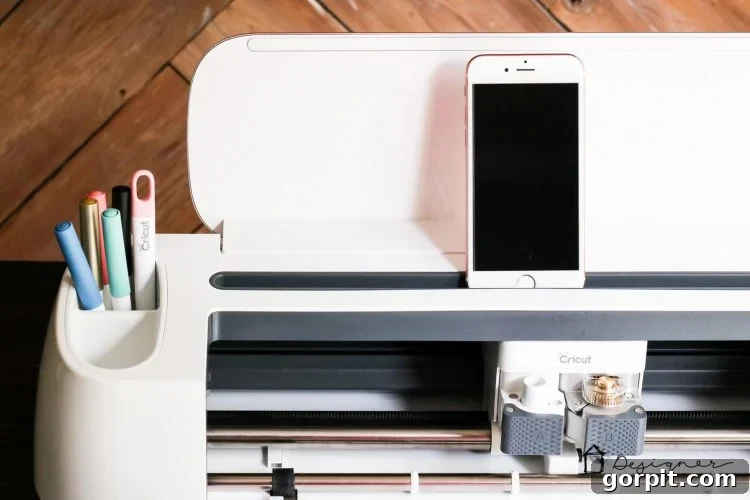
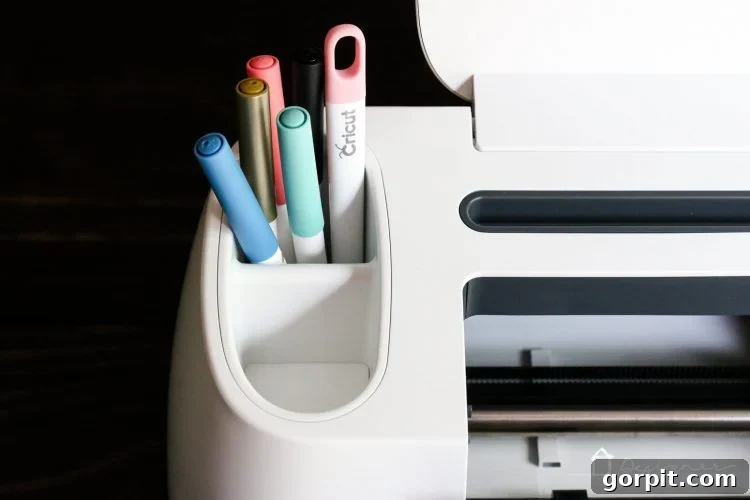
Storage and organization have also seen significant improvements. The Cricut Maker boasts deeper front tool storage, providing ample space for organizing a wider array of your crafting tools and accessories. Additionally, it features two dedicated tool cups: one is deeper, making it perfect for securely holding pens and markers during projects, while the other is shallow, ideally suited for storing blades that are not currently in use, ensuring everything is neatly organized and within reach.
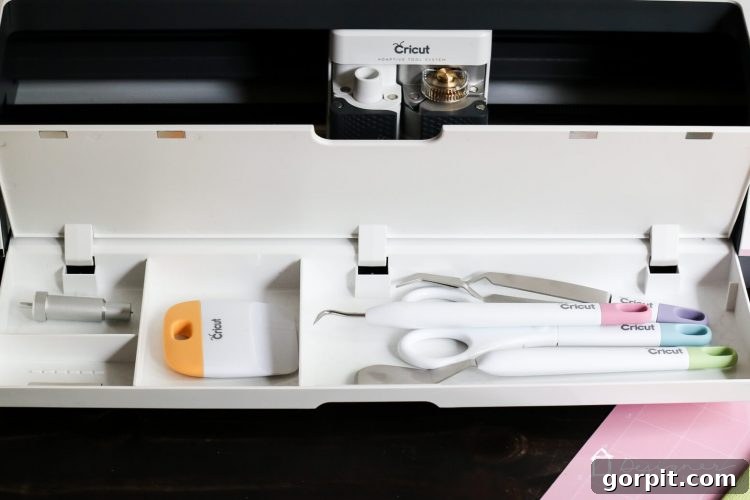
A significant operational difference between the Cricut Maker and the Cricut Explore Air 2 is the removal of the physical material selection dial. While this initially feels like a change that requires some adjustment, I’ve come to absolutely adore it. I believe many crafters, myself included, have experienced the frustration of forgetting to change the dial setting, leading to ruined materials and wasted time. Oops!
With the Cricut Maker, you select your material directly within the intuitive Cricut Design Space software before initiating your cut. This digital integration offers a crucial advantage: the Cricut Maker automatically detects the loaded blade to ensure it’s the correct one for your chosen project. If you’ve forgotten to load your Rotary Blade for fabric, for example, the Cricut Maker will promptly notify you, prompting you to make the necessary adjustment. In essence, it’s a much more “idiot-proof” system than the Explore Air 2, significantly reducing common errors. For someone like me, who is often multitasking and prone to occasional forgetfulness when engrossed in creative projects, this intelligent error prevention is a truly invaluable feature.
For a closer look at the physical design and features of the machine itself, the video below provides an excellent visual tour, highlighting all the points discussed.
Phew… that’s a comprehensive overview, isn’t it? The Cricut Maker truly represents a significant leap forward in personal cutting technology, making advanced crafting more accessible and enjoyable than ever before. If you have any further questions about the Cricut Maker or its capabilities, please don’t hesitate to ask! I’m passionate about this machine and would love to chat more about it. Simply head over to my Facebook page and post your question on my wall—I’ll get back to you as soon as possible. And be sure to share this detailed review on Facebook or save it to Pinterest so you can easily reference it again later!
This is a sponsored conversation written by me on behalf of Cricut. The opinions and text are all mine.
Other posts you may enjoy:
- Which Cricut Machine Is Right for You?
- Silhouette vs. Cricut – My Unbiased Review
- Inspiring Silhouette & Cricut Projects for Your Home and Life
- How to Use Cricut Iron-On Vinyl on Stretchy Fabrics
- Personalized Gifts With Cricut Infusible Ink
Wondering how I approach transforming rooms and spaces in our home? Check out Designer in a Binder®.
And if you want exclusive content and behind-the-scenes sneak peeks, be sure to subscribe before you head out!