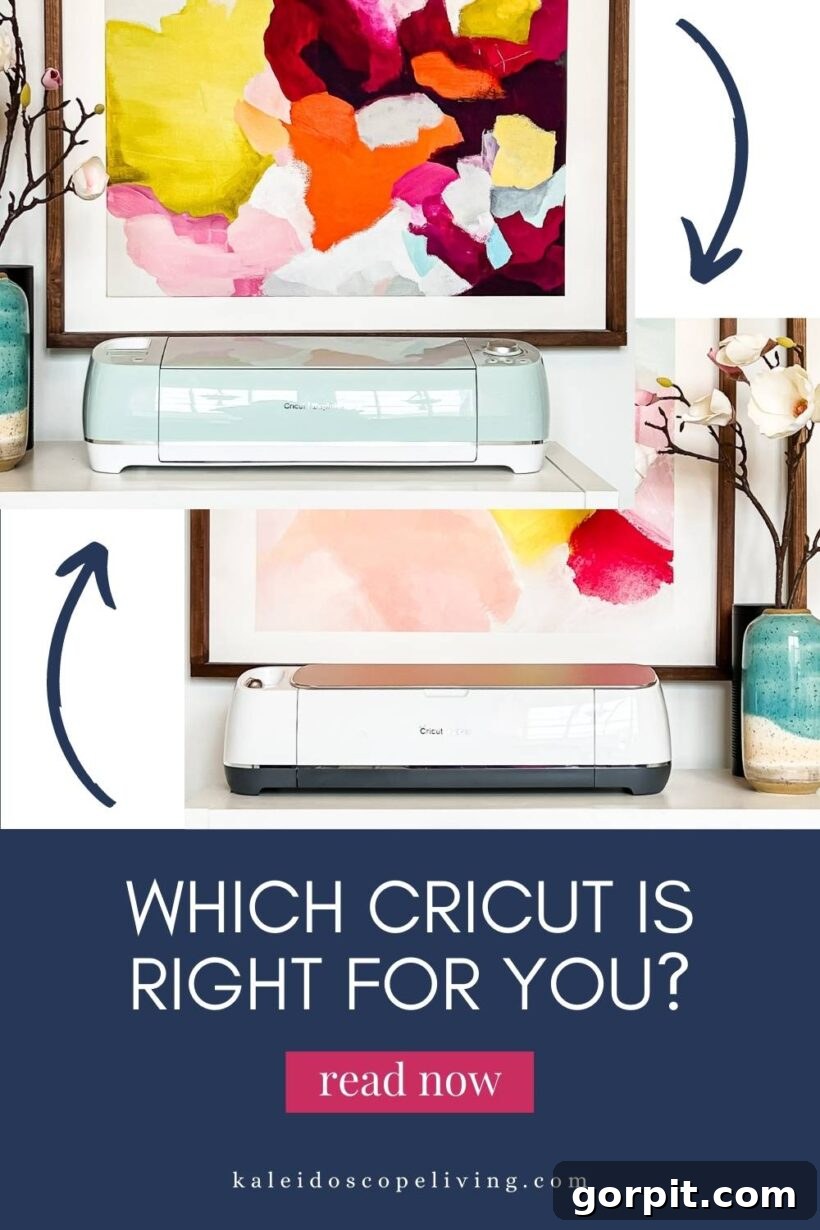
Are you a craft enthusiast or a DIY aficionado looking to elevate your creative projects? Have you been eyeing a Cricut machine but feel overwhelmed by the sheer number of models and features available? If so, you’ve landed on the perfect guide! Choosing the right cutting machine is crucial for unlocking your full creative potential, and with Cricut’s diverse range, finding the ideal match for your specific needs can seem daunting.
Cricut machines are true game-changers in the world of crafting, offering unparalleled precision and versatility for cutting, drawing, scoring, and more. Whether you dream of personalizing everyday items, crafting intricate decor, or even starting a small handmade business, there’s a Cricut machine designed to bring your vision to life. This comprehensive guide will demystify each Cricut model, detailing what they can cut, what they excel at, and who they are best suited for, ensuring you make an informed decision that empowers your crafting journey.
Thank you to Cricut for sponsoring this post. This post contains affiliate links for your convenience. Click HERE to read my full disclosure policy.
Table of Contents
Toggle
What is a Cricut Machine?
Before diving into the specifics of each model, let’s clarify what a Cricut machine actually is and why it’s become an indispensable tool for crafters worldwide. A Cricut machine is an electronic cutting machine that connects to your computer or mobile device and uses specialized blades to precisely cut a vast array of materials into intricate shapes and designs. Think of it as a printer, but instead of ink, it uses a tiny, incredibly accurate blade to bring your digital designs to life on physical materials.
Beyond cutting, many Cricut machines can also draw, score, emboss, and even engrave, opening up a world of possibilities for personalized gifts, home decor, custom apparel, party favors, and much more. At the heart of every Cricut machine is its accompanying design software, Cricut Design Space. This intuitive, cloud-based platform allows you to upload your own designs, access thousands of ready-to-make projects, customize fonts, shapes, and images, and send them directly to your machine. The beauty of Cricut lies in its ability to transform complex design ideas into tangible creations with remarkable ease and professional-looking results.
If you’ve read my unbiased review of Silhouette vs. Cricut, you already know my strong preference for Cricut cutting machines! However, with so many excellent options within the Cricut family, the question “which Cricut machine is right for you?” remains. This guide will provide a detailed review of the most popular Cricut machines, including the Cricut Explore Air 2, the Cricut Maker, and the Cricut Joy, alongside their newer iterations, the Explore 3 and Maker 3. Rest assured, none of these machines are overly complicated; they simply offer different features to cater to various crafting needs. Let’s explore which one perfectly aligns with your creative aspirations!
The Cricut Explore Machines: Versatility for Everyday Crafters
The Cricut Explore family offers an excellent balance of versatility, performance, and affordability, making it a fantastic choice for a wide range of crafters, from enthusiastic beginners to experienced DIYers. These machines are often considered the sweet spot for those looking to expand their creative toolkit without needing the advanced capabilities (or higher price point) of the Maker series.
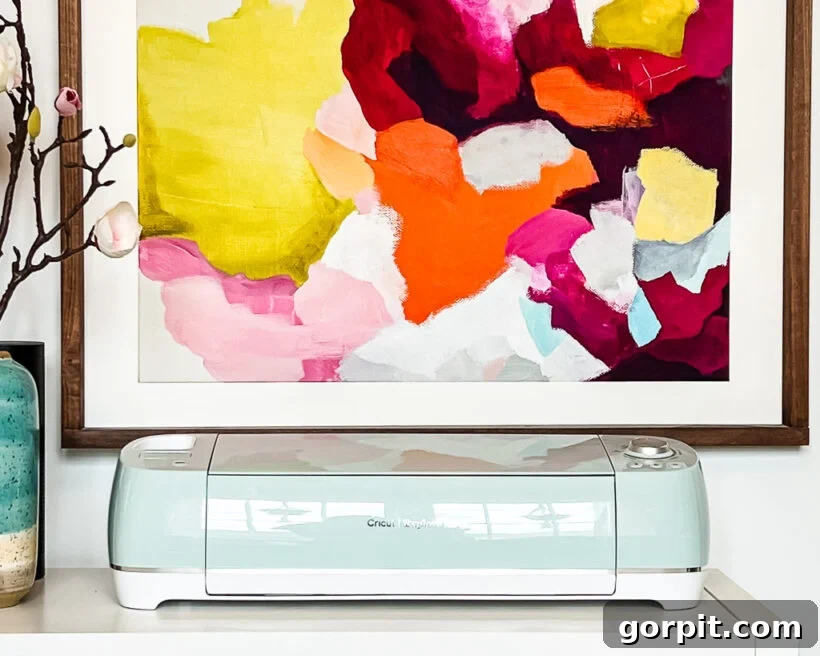
Cricut Explore Air 2: The Accessible All-Rounder
In my opinion, the Cricut Explore Air 2 is the best choice for most people, and it’s the machine I often find myself reaching for. It strikes a fantastic balance between capability and simplicity, performing exceptionally well for the most common crafting tasks. You can typically find it priced around $199, and often even less during sales, making it an incredible value.
The Explore Air 2 is ideal for crafters primarily interested in projects involving materials like vinyl, paper, cardstock, iron-on (HTV), sticker paper, poster board, and infusible ink transfer sheets. It cuts over 100 different materials beautifully using its fine-point blade, allowing you to create stunning stickers, personalized labels, custom t-shirts, intricate cards, and much more. Its versatility for everyday crafting needs is truly impressive. You can explore the full list of materials the Cricut Explore Air 2 can cut here.
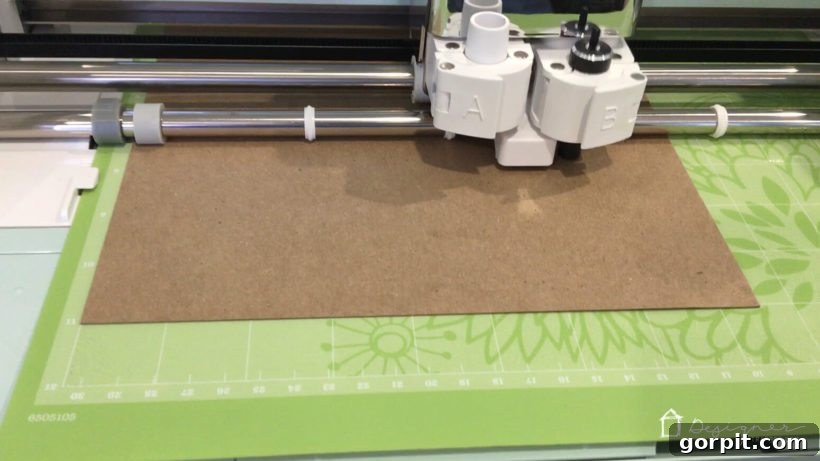
With the Cricut Explore Air 2, you can cut materials up to 2 feet long, but it always requires a cutting mat. This is a standard process for many vinyl projects, but it’s a consideration if you envision very long, continuous cuts. Don’t let the mat requirement deter you from larger projects, though; you can still tackle extensive vinyl applications with ease!
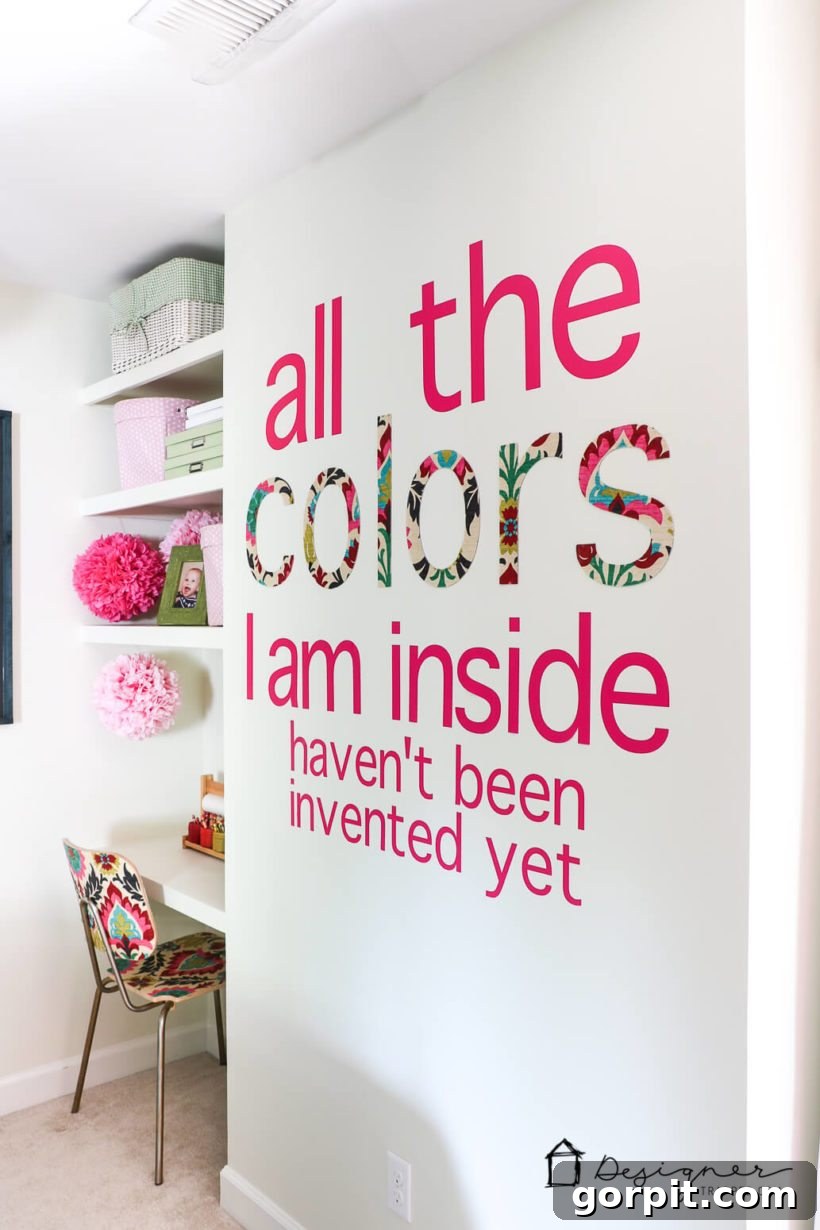
For instance, I used my Explore Air 2 to create these charming DIY wall decals for my daughter Attley’s old room. I also cut the word “colors” out of chipboard, then coated the pieces with fabric and Mod Podge, and was delighted with the custom, dimensional result. These examples demonstrate just how much you can achieve with an Explore Air 2.
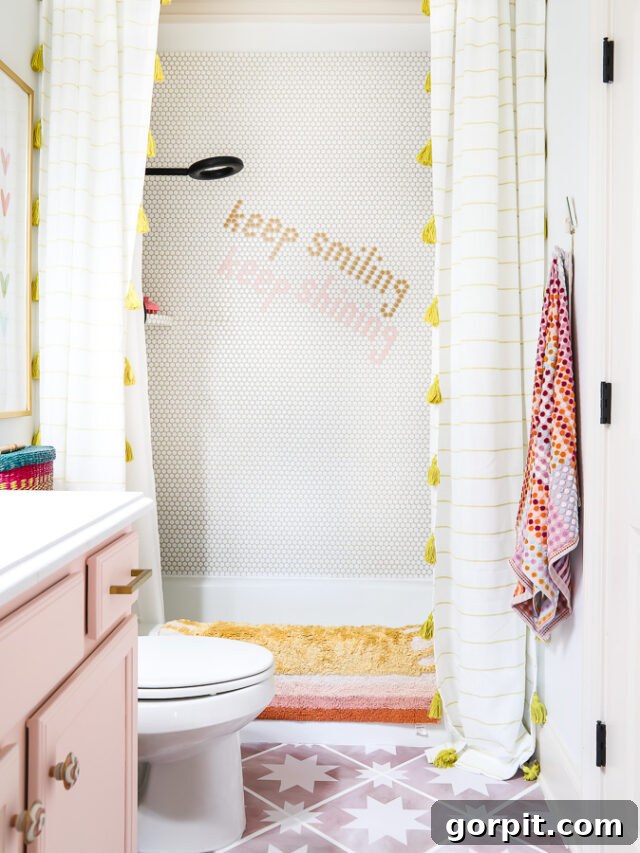
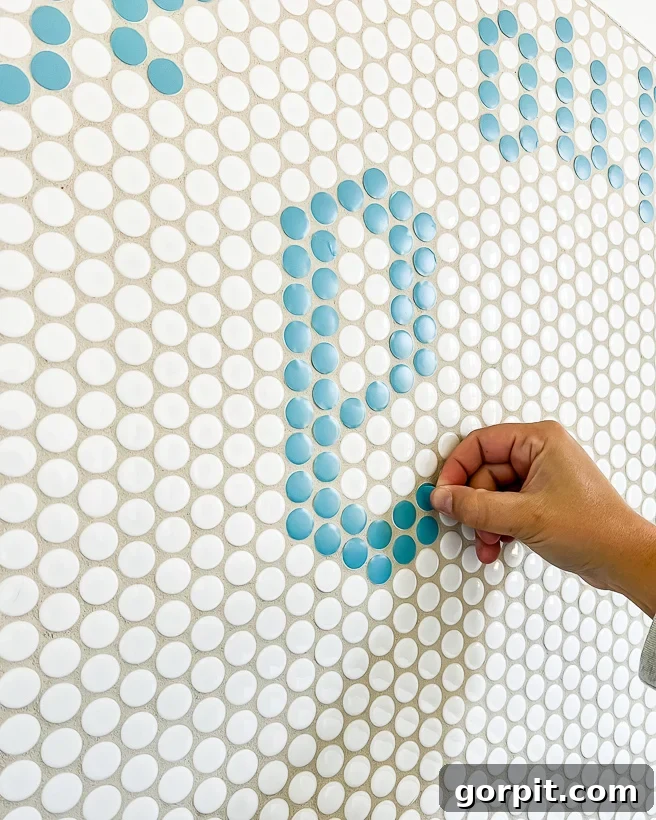
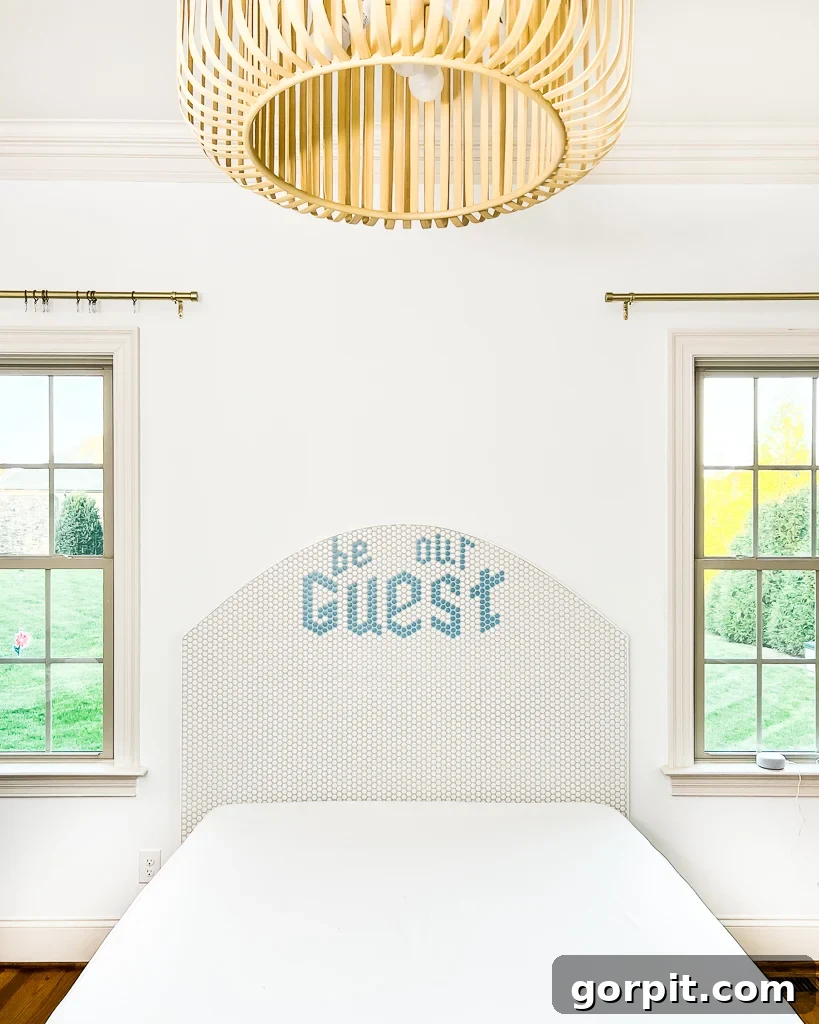
More recently, my Explore Air 2 proved invaluable for cutting vinyl circles to create a custom design in my daughter’s penny tile shower, adding a unique touch. It also played a key role in the DIY customizable headboard we crafted for our guest room, effortlessly cutting vinyl messages.
Cricut Explore 3: The Mat-Free Revolution
If your budget allows for a slightly higher investment, the Cricut Explore 3 is definitely worth strong consideration. While its core cutting capabilities are very similar to the Explore Air 2, it boasts one significant advancement: the ability to cut Cricut Smart Materials without a cutting mat. This is a monumental benefit for many crafters!
Smart Materials are engineered to feed directly into the machine, eliminating the need for a mat and allowing for continuous, extra-long cuts. Imagine cutting up to 12 feet of vinyl at once for large wall decals, banners, or intricate repeating patterns without interruption. This mat-free capability not only saves time but also reduces ongoing costs associated with replacing worn-out cutting mats. The Explore 3 is also faster than its predecessor, speeding up project completion. Its price point is typically around $299, reflecting these advanced features.
Who Should Purchase a Cricut Explore Machine?
The Cricut Explore machines are perfect for a vast majority of crafters. If your primary interests lie in creating projects with materials like vinyl, iron-on, cardstock, paper, and other similar mediums, an Explore machine will serve you incredibly well. It’s a fantastic entry point into the world of electronic cutting for beginners, offering powerful capabilities without overwhelming complexity.
For those prioritizing economy, the Explore Air 2 remains an outstanding choice that delivers exceptional results. However, if the idea of faster cuts, handling longer materials, and the convenience of mat-free cutting with Smart Materials appeals to you, and your budget permits, the Explore 3 is a worthwhile upgrade. You truly can’t go wrong with either, as both are wonderfully capable machines that consistently produce beautiful projects.
The Cricut Maker Machines: Unleash Professional-Grade Crafting
For crafters who demand the absolute peak of versatility, power, and precision, the Cricut Maker series stands unmatched. These machines transcend the capabilities of the Explore series, opening doors to an extensive range of materials and project types that were once only possible with specialized industrial equipment.
Cricut Maker: The Powerhouse for Serious Makers
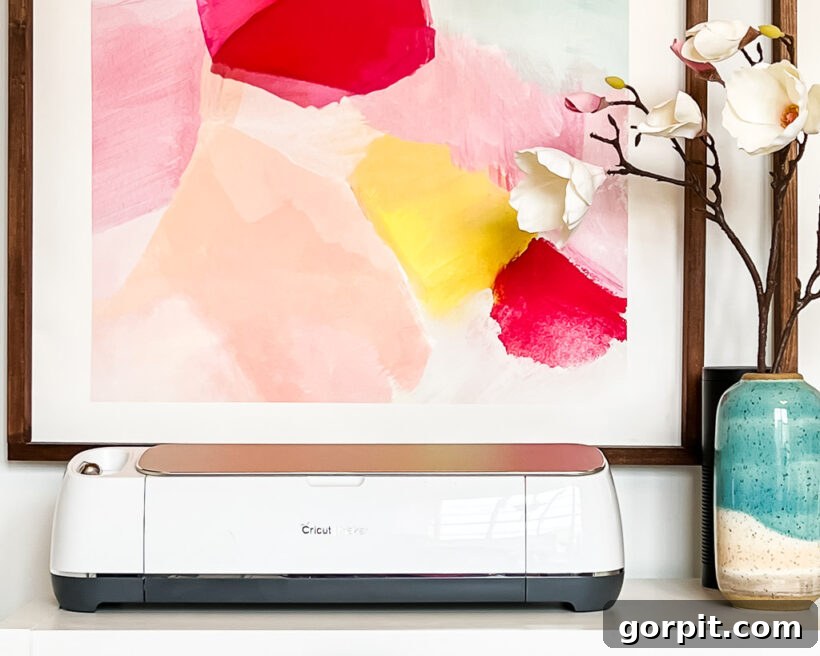
The original Cricut Maker is, in a word, revolutionary. It’s not merely a “different version” of the Explore machine; it’s a completely different class of cutting tool. The core distinction lies in its Adaptive Tool System, a groundbreaking technology that intelligently controls the direction of the blade and the cut pressure to perfectly match your chosen material. Unlike the stationary blades used in other Cricut machines, the Maker’s system allows tools to rotate and lift, delivering professional-grade cuts on an unprecedented variety of materials.
With roughly 10 times the cutting power of the Explore Air 2, the Maker is built for heavier-duty tasks. You can typically find the original Cricut Maker priced around $219, offering incredible value for its expanded capabilities. The newest model, the Cricut Maker 3, is priced closer to $400, reflecting its enhanced speed and Smart Material compatibility.
Cricut Maker 3: Speed and Smart Material Innovation
The Cricut Maker 3 takes all the advanced capabilities of the original Maker and supercharges them. It offers everything the previous Maker models could do, but with two significant enhancements: the ability to cut Smart Materials without a cutting mat, and up to twice the speed when cutting Smart Materials. This means you can create even larger projects, faster and more efficiently, without the need to prepare or replace cutting mats.
For crafters who frequently work with long designs or want to maximize their productivity, the Maker 3’s mat-free cutting for Smart Materials, coupled with its increased speed, makes it an indispensable tool. It represents the pinnacle of Cricut’s cutting technology, designed for those who want to push the boundaries of their creativity and efficiency.
What Can You Cut with a Cricut Maker?
The Cricut Maker can cut everything the Cricut Explore Air 2 can handle and much, much more—it supports over 300 different materials. This expanded capability comes from its unique suite of interchangeable tools, especially the Rotary Blade and the Knife Blade.
For fabric crafters and sewers, the Cricut Maker is nothing short of revolutionary. It cuts fabrics without backing material! Imagine cutting intricate sewing patterns in minutes, eliminating the tedious task of hand-cutting and pinning. You can even upload your own sewing patterns. Quilters particularly adore the Cricut Maker for precisely cutting appliqué and quilt pieces, ensuring perfect alignments every time. This is all thanks to the Rotary Blade, which brings unparalleled precision to fabric cutting. With its gliding, rolling action, it cuts materials like cotton, felt, fleece, denim, silk, and more quickly and accurately, without any need for stabilizers.
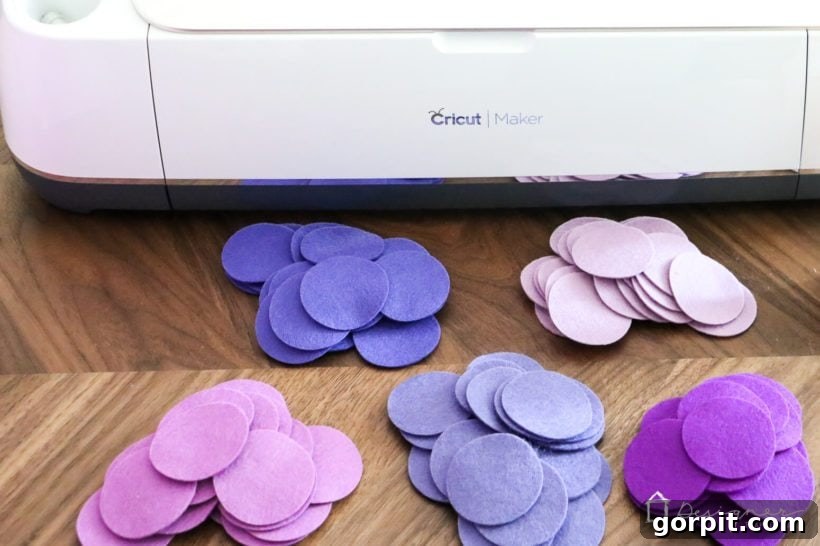
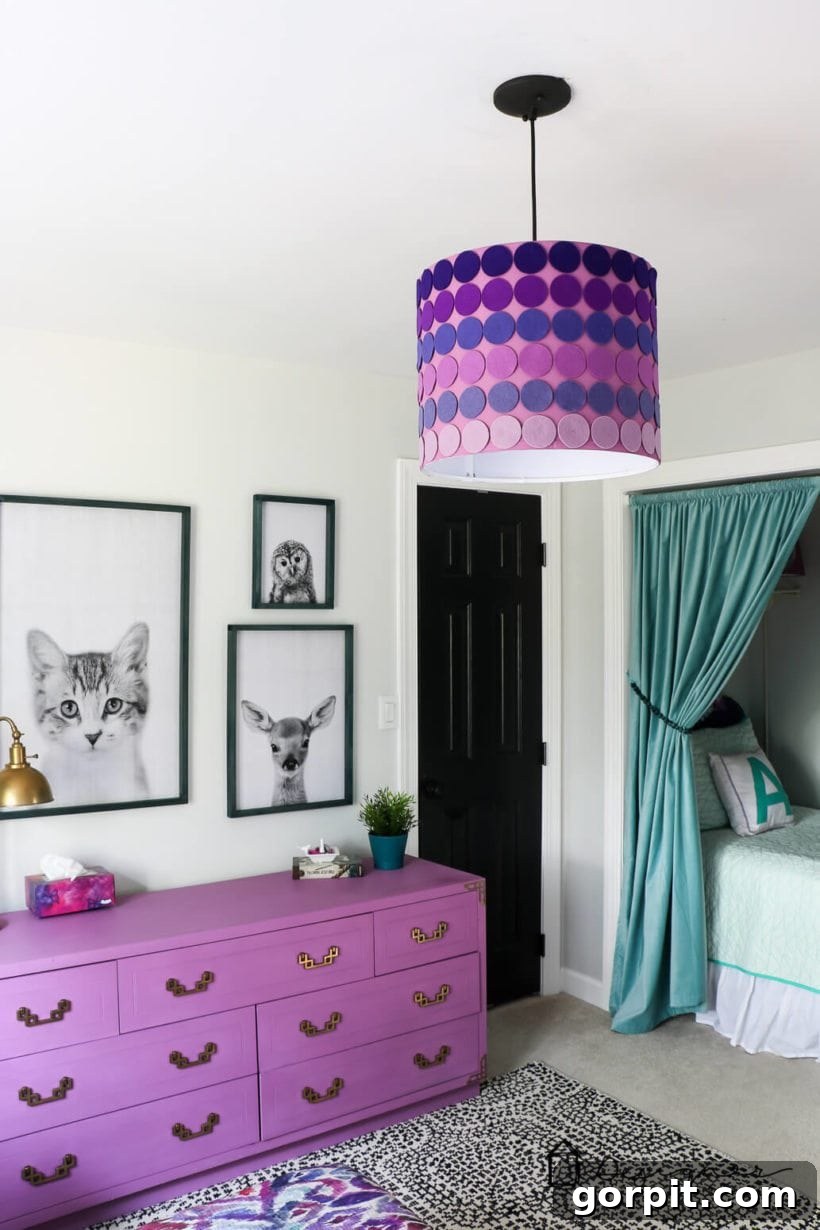
I personally used the Rotary Blade to cut felt circles for this gorgeous DIY ombre lampshade in my daughter’s old room, and I was absolutely astonished by the clean, crisp quality of the cuts.
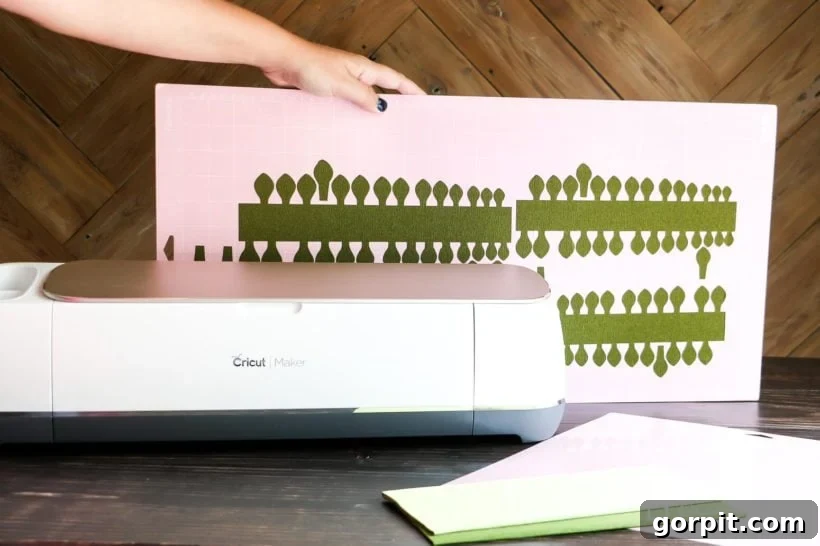
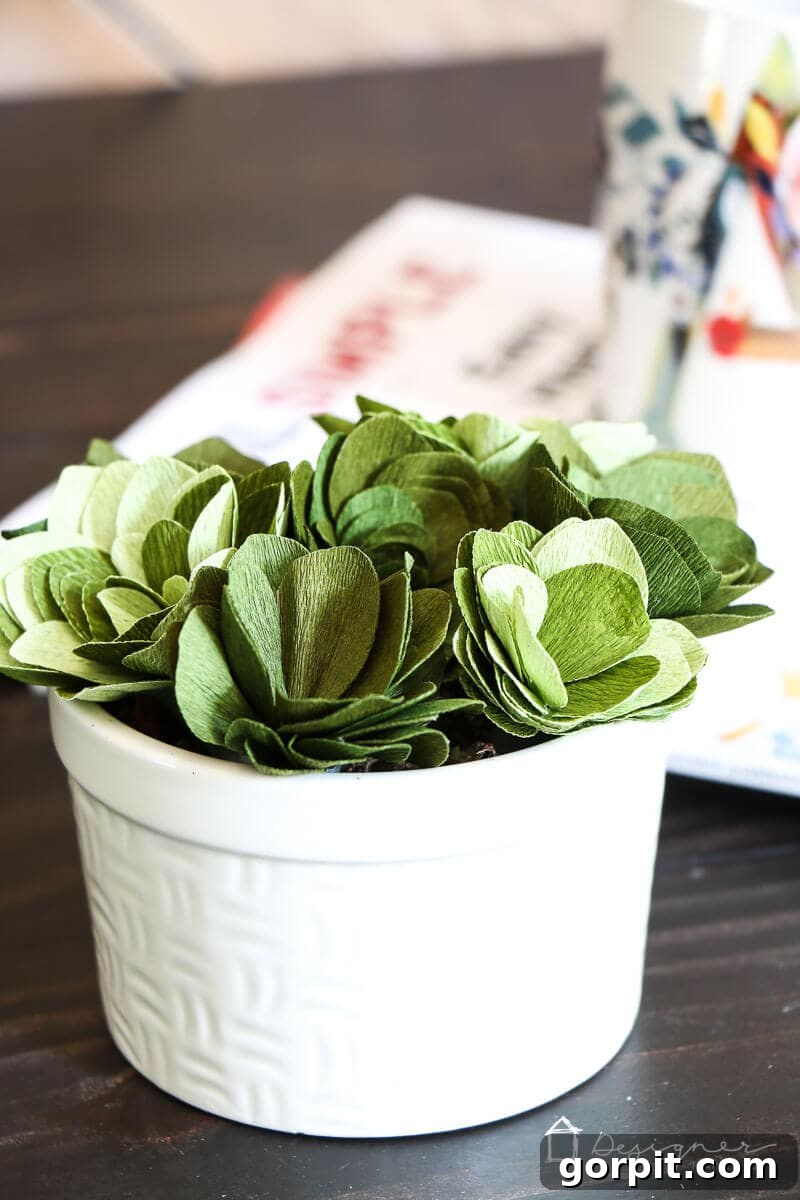
The Rotary Blade also excels at cutting super thin or delicate materials, such as crepe paper, without tearing. For anyone passionate about creating intricate paper flowers or other delicate paper crafts, the Cricut Maker will quickly become your new best friend. I honestly didn’t believe it could cut crepe paper without shredding it until I saw it beautifully handle the material for my paper succulents.
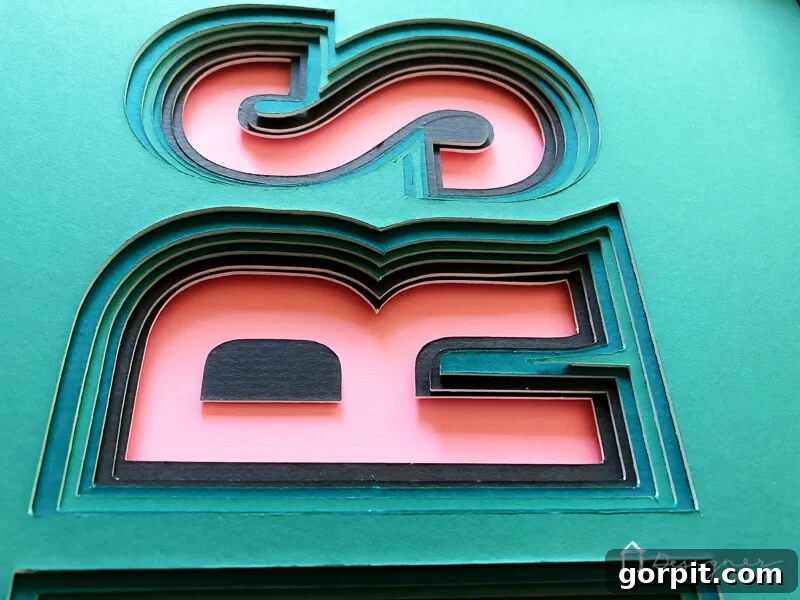
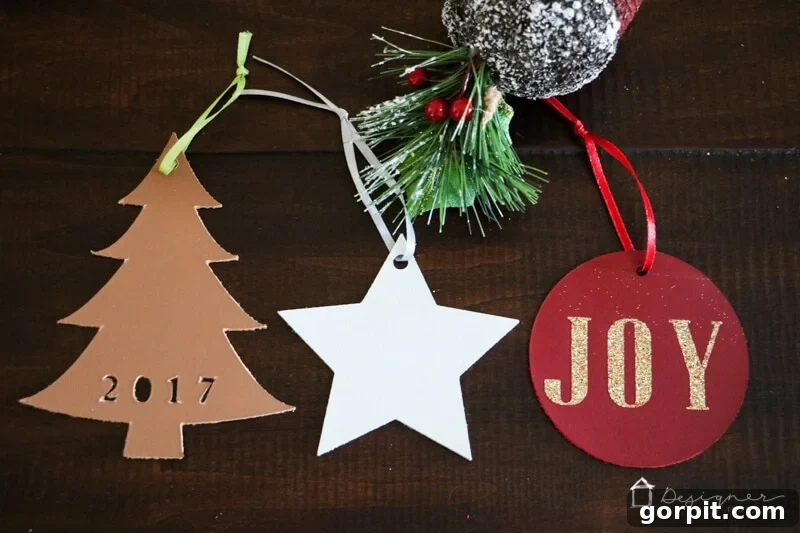
Furthermore, with the extra-deep Knife Blade, the Cricut Maker can effortlessly cut materials up to 2.4 mm (3/32”) thick. You can finally retire your X-ACTO® knife for these demanding tasks! The Knife Blade transforms your Cricut Maker into a powerful tool for cutting materials like Basswood, Balsa wood, mat board, and heavy leather. I’ve personally utilized the Knife Blade to create exquisite leather Christmas ornaments and to precisely cut mat board for custom 3D art projects, achieving flawless results every time.
Maker vs. Explore: The Deep-Cut Blade Difference
While the Cricut Explore machines can use a Deep-Point Blade to cut some thicker materials, it’s essential to understand that its capabilities are fundamentally different from the Cricut Maker’s Knife Blade. The Deep-Point Blade in the Cricut Explore has a stationary tip, relying on brute force and multiple passes to cut through thicker materials. This method can sometimes result in less precise cuts or cause undue wear on the blade.
In contrast, the Cricut Maker’s Adaptive Tool System, particularly with the Knife Blade and Rotary Blade, intelligently controls the blade’s direction, angle, and cut pressure. This precision is possible due to the intricate gears at the top of these specialized blades. When you select your material in Cricut Design Space, the software automatically instructs the Cricut Maker on the optimal number of passes and precisely adjusts the pressure for each pass. This intelligent system ensures clean, accurate cuts on even the most challenging materials, a level of sophistication the Explore machines cannot replicate.
Who Should Purchase a Cricut Maker Machine?
The Cricut Maker machines are an investment in ultimate creative freedom. They are ideal for advanced crafters, small business owners, or anyone with ambitious projects that extend beyond vinyl, iron-on, and paper. If you regularly sew, quilt, make intricate paper flowers, or dream of creating projects from materials like leather, balsa wood, mat board, or delicate fabrics, the Maker series is an indispensable tool.
While the initial cost is higher and the range of tools can seem a bit more complex, the Maker’s ability to handle diverse materials with precision makes it worth every penny for dedicated creators. If versatility, power, and professional-grade results on a broad spectrum of materials are your top priorities, then a Cricut Maker machine is the intelligent choice for your crafting arsenal.
The Cricut Joy: Compact Creativity On-Demand
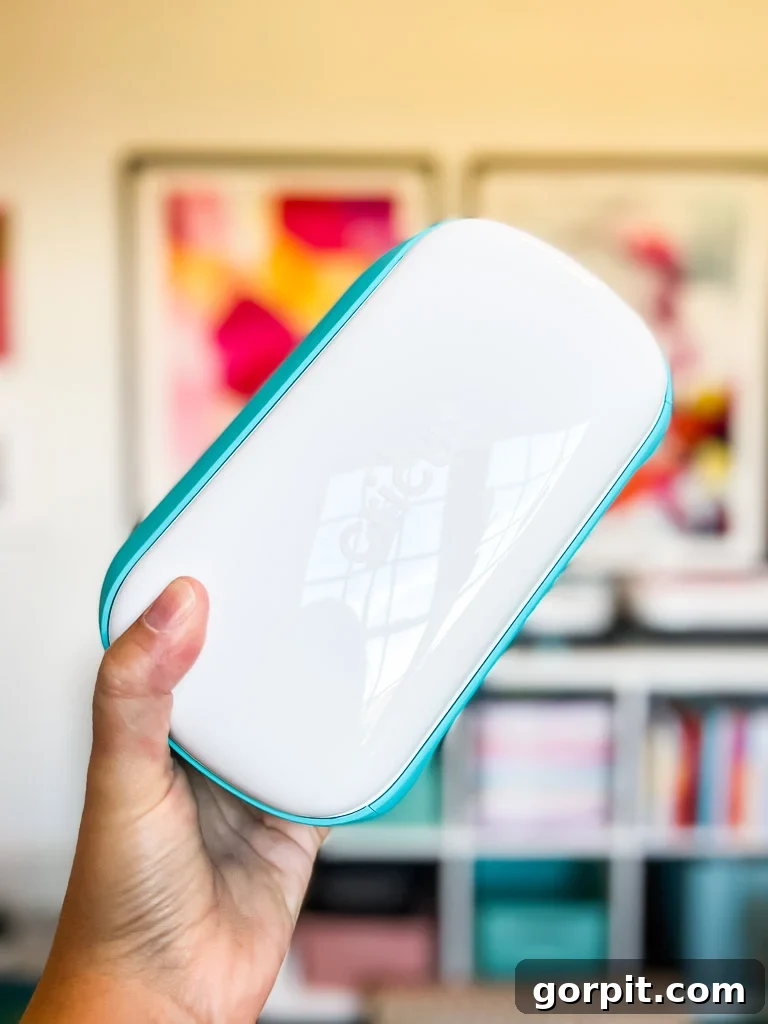
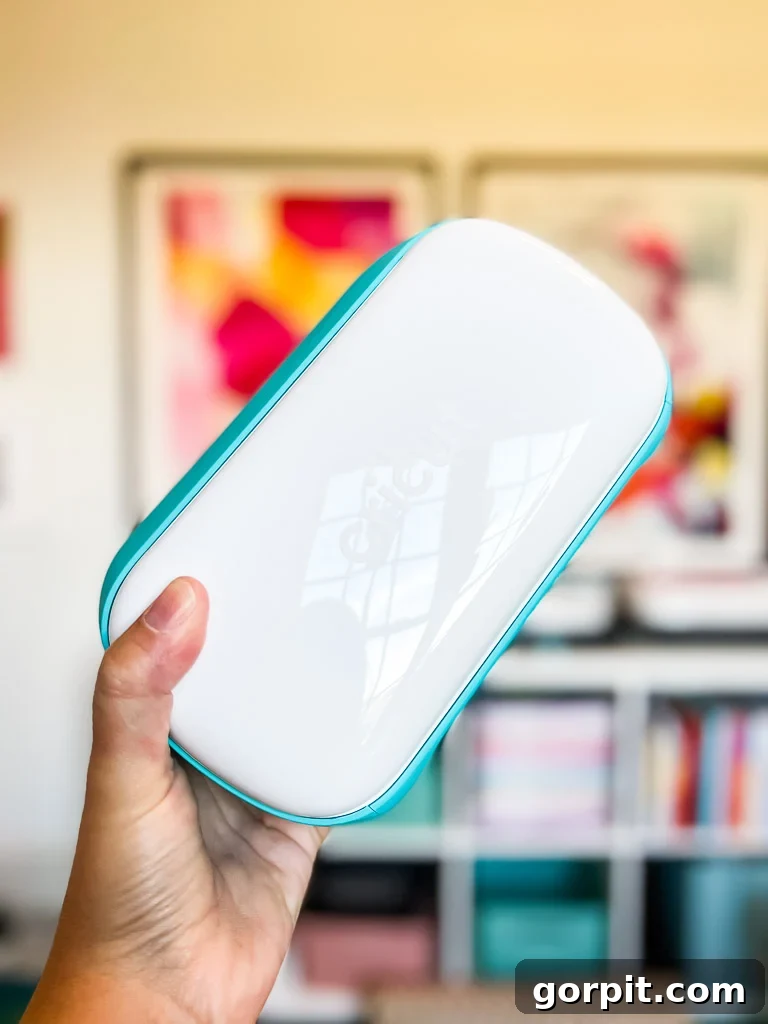
Stepping away from the larger, more robust Explore and Maker machines, we arrive at the Cricut Joy – Cricut’s most compact and arguably most charming cutting machine. I recently added one to my own crafting space and am thrilled to share its unique benefits and features.
Key Differentiators: Size, Portability, Price
The most striking difference about the Cricut Joy is its diminutive size. Measuring a mere 5″ x 8″ when closed and weighing only about 4 pounds, it’s incredibly compact and lightweight. This makes it a perfect solution for crafters with limited workspace or those who enjoy crafting on the go. Its portability means you can easily move it from room to room, take it to a friend’s house, or even craft on a small desk or kitchen counter. With a base price around $159, it’s also the most budget-friendly entry point into the Cricut ecosystem.
The Cricut Joy is specifically designed for smaller, everyday projects. While it can cut impressive lengths of up to 20 feet using Smart Materials, its maximum cutting width is limited to 5.5 inches. This makes it less suitable for large-scale projects that require wider cuts, unless you’re comfortable piecing together multiple smaller sections.
What Can the Cricut Joy Cut?
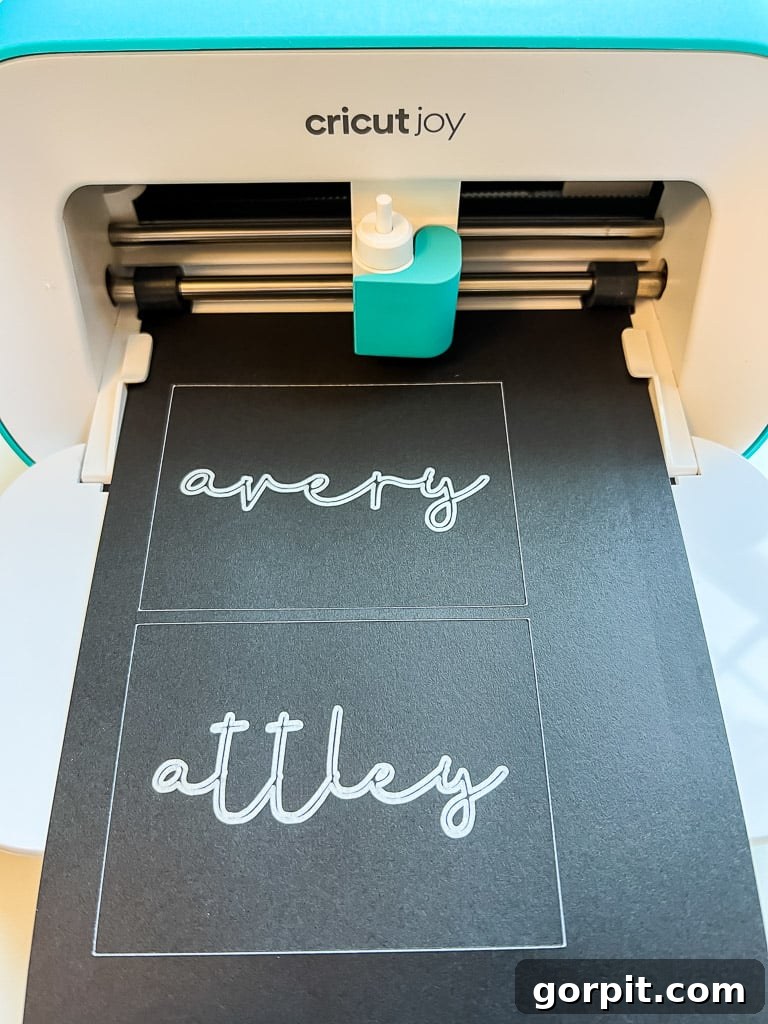
Despite its small stature, the Cricut Joy is surprisingly capable. It excels at creating popular projects like custom labels, greeting cards (with specialized card mats), wall decals, vinyl transfers, and iron-on designs. It seamlessly works with Cricut Smart Materials, allowing for mat-free cutting of vinyl and iron-on up to 4 feet in length, or even 20 feet for repeated cuts. This feature is fantastic for quick, impactful personalization. It can cut over 50 different materials, including Smart Vinyl, Smart Iron-On, Smart Paper Sticker Cardstock, and regular cardstock and paper when used with a mat.
However, the Cricut Joy has certain limitations. It does not offer a deep-cut blade, meaning it cannot cut thicker materials like leather, balsa wood, or mat board. Additionally, it cannot cut fabric, a capability reserved for the Maker series. For context, while the Joy cuts 50+ materials, the Explore Air 2 handles 100+, and the Maker tackles over 300 different material types.
Cricut Joy: Blade and Tool Compatibility
One important point to note about the Cricut Joy is its unique tool ecosystem. Unlike the Explore and Maker machines, which share many interchangeable accessories and blades, the Cricut Joy requires its own specialized tools and materials due to its compact size. While it comes with a fine-point blade for cutting, any other machine tools, such as the foil transfer kit, must be purchased separately and are exclusive to the Joy. This means your existing blades and accessories from an Explore or Maker machine will not be compatible with the Cricut Joy.
Do I Need a Cricut Joy if I Have an Explore or Maker?
Technically, no. If you already own a Cricut Maker or an Explore machine, there isn’t anything the Cricut Joy can cut that your larger machine cannot. From a purely functional standpoint, it wouldn’t be a necessary purchase.
However, despite owning both a Cricut Maker and an Explore Air 2, I chose to purchase a Cricut Joy myself (with my own money!). My reasons were twofold: first, as a content creator, I wanted to experience and share my honest thoughts on the machine with my audience. Second, and more importantly, I knew how incredibly handy it would be for quickly creating small, everyday items like labels, stickers, and cards. Often, when I need to make a quick label for something downstairs, I don’t want to go through the process of setting up my larger machines in my upstairs office and getting out the cutting mats.
The Cricut Joy’s grab-and-go convenience is a huge benefit. It can be used virtually anywhere, making quick projects truly effortless. Furthermore, the Cricut Joy app experience is specifically designed for simplicity, guiding users through projects in 15 minutes or less. This minimal learning curve makes it the perfect machine for my 11-year-old twin girls to use independently, fostering their creativity without constant supervision.
Who Should Buy a Cricut Joy?
The Cricut Joy is the perfect entry-level cutting machine for several distinct groups. If you’re new to the world of electronic cutting and are primarily interested in small vinyl, iron-on, or paper projects like labels, cards, or gift tags, the Joy is an excellent choice. Its simplicity and compact size make it less intimidating than the larger machines. It’s also ideal for those with limited space, younger crafters (like tweens or teens), or anyone who prefers quick, effortless projects over large, complex ones. Teachers, in particular, would find it an incredible tool for classroom activities and organization.
However, if you anticipate needing to make larger projects or cut a wider variety of materials, especially fabrics or thicker items, you might be better served by a Cricut Explore Air 2 or Explore 3. The price of the Cricut Joy and the Explore Air 2 is quite similar, so consider your future crafting ambitions carefully. For existing Cricut Explore or Maker owners, the Joy is certainly not a necessity, but it can be a highly convenient and enjoyable addition to your crafting tools if you value its portability and ease of use for small, spontaneous projects.
Frequently Asked Questions About Cricut Machines
This is a very common question! I’ve dedicated an entire unbiased review of Silhouette vs. Cricut to answer this in detail. Having used both extensively, I personally prefer Cricut, but my review thoroughly explains the differences in machines, software, and ecosystems, helping you decide which brand aligns best with your crafting style and needs.
For beginners, I wholeheartedly recommend the Cricut Joy or the Cricut Explore Air 2. The Cricut Joy is incredibly user-friendly, compact, and perfect for getting started with smaller, quick projects like labels and cards, with a very gentle learning curve. The Cricut Explore Air 2 offers a broader range of material compatibility for a similar price point, making it a versatile and budget-friendly option for exploring various types of crafts without overwhelming complexity.
For experienced crafters seeking the ultimate in versatility and capability, the Cricut Maker or Cricut Maker 3 is the top recommendation. These machines boast the Adaptive Tool System and significantly more cutting power, allowing them to precisely cut over 300 materials, including fabric, leather, and wood. This is especially true if you are passionate about sewing, quilting, or creating intricate projects with diverse and challenging materials.
Yes, Cricut Design Space, the software used to create and send projects to your machine, requires an internet connection to download and install. While you can save projects for offline use, an internet connection is generally needed for initial setup, accessing the full image and font library, and for software updates.
Cricut Design Space is the free software that powers all Cricut cutting machines. It allows you to design projects, access Cricut’s vast library of images, fonts, and ready-to-make projects, and send your creations to your machine for cutting, drawing, or scoring. While the software itself is free, some premium images and fonts are part of a Cricut Access subscription, or can be purchased individually. You can also upload your own images and use your system fonts for free.
Smart Materials are specialized Cricut brand materials that are designed to be fed directly into your Cricut Explore 3, Maker 3, or Joy machine without the need for a cutting mat. This allows for faster and longer continuous cuts, making them ideal for large-scale projects like banners or long vinyl decals. Smart Materials are available in various types, including Smart Vinyl, Smart Iron-On, and Smart Paper Sticker Cardstock.
Summary & Recap: Making Your Informed Choice
Congratulations! You now have a comprehensive understanding of each Cricut machine’s capabilities, strengths, and ideal applications. The journey to choosing the perfect cutting machine boils down to carefully considering a few key factors: the types of projects you’re passionate about, the materials you intend to work with, your available crafting space, your budget, and your current crafting skill level.
- The Cricut Joy: Your go-to if you’re a beginner, have limited space, or primarily focus on quick, small-scale projects like labels, cards, and simple vinyl decals. It’s the epitome of compact convenience.
- The Cricut Explore Machines (Air 2 & 3): The versatile workhorses perfect for most crafters. Choose the Explore Air 2 for exceptional value in cutting over 100 materials, or upgrade to the Explore 3 for the added speed and mat-free convenience of Smart Materials and longer cuts. Ideal for vinyl, iron-on, paper, and cardstock projects.
- The Cricut Maker Machines (Original & 3): The ultimate professional-grade crafting tool for those who demand unparalleled versatility and power. Essential for sewers, quilters, and anyone wanting to precisely cut delicate fabrics, thick materials like leather and wood, or explore a vast array of advanced techniques with over 300 material types.
Remember, there’s no single “best” Cricut machine; there’s only the best Cricut machine for you and your unique creative journey. With the right machine in hand, you’ll be empowered to transform everyday materials into extraordinary DIY projects that you’ll be incredibly proud to display or gift. We hope this detailed guide has equipped you with the confidence to make the perfect choice and embark on countless creative adventures. If you have any further questions as you make your decision, please don’t hesitate to reach out to me via social media!
Explore More Cricut Inspiration
SEE ALL Cricut POSTS
-
DIY Santa Sacks Your Kids Will LOVE!
-
Which is the Best Cricut Machine for You?
-
How To Make Labels With a Cricut Cutting Machine – My 2 Favorite Methods
-
Silhouette vs. Cricut – My Unbiased Review
-
Personalized Christmas Ideas With Cricut
-
DIY Advent Calendar With Cricut Air Explore 2
Other posts you may enjoy:
- How to Make Vinyl Wall Quotes Yourself
- 26 Clever and Creative Gifts for Makers & Crafters
- Silhouette vs. Cricut – My Unbiased Review
- Silhouette & Cricut Projects for Your Home
- Personalized Cricut Ideas for Christmas
- Cricut Cutting Review: DIY Crepe Paper Succulents
Wondering how I approach transforming rooms and spaces in our home? Check out Designer in a Binder®.
And if you want exclusive content and behind-the-scenes sneak peeks, be sure to subscribe before you head out!